Instructions to use laion/CLIP-convnext_xxlarge-laion2B-s34B-b82K-augreg-soup with libraries, inference providers, notebooks, and local apps. Follow these links to get started.
- Libraries
- OpenCLIP
How to use laion/CLIP-convnext_xxlarge-laion2B-s34B-b82K-augreg-soup with OpenCLIP:
import open_clip model, preprocess_train, preprocess_val = open_clip.create_model_and_transforms('hf-hub:laion/CLIP-convnext_xxlarge-laion2B-s34B-b82K-augreg-soup') tokenizer = open_clip.get_tokenizer('hf-hub:laion/CLIP-convnext_xxlarge-laion2B-s34B-b82K-augreg-soup') - Notebooks
- Google Colab
- Kaggle
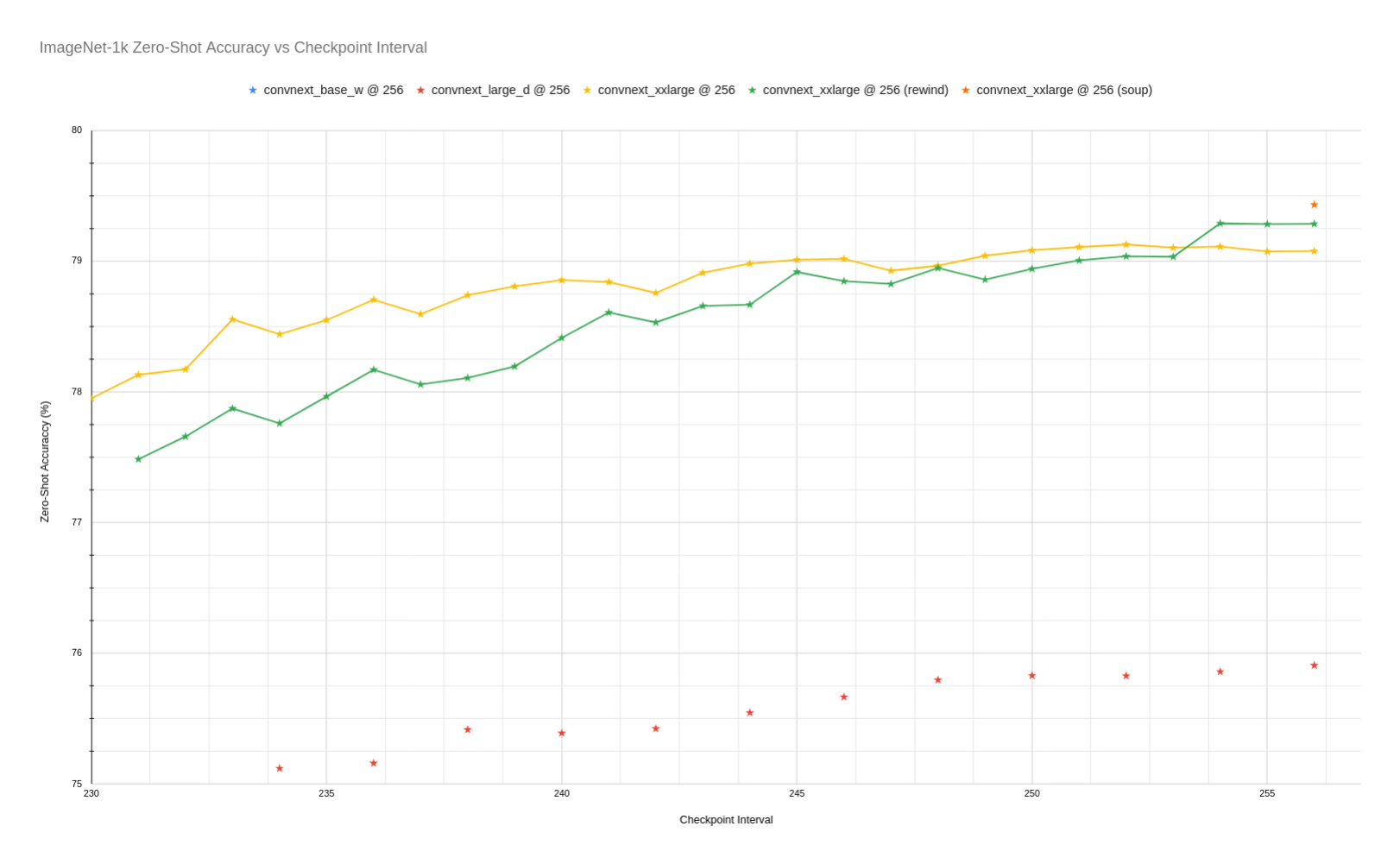
Download convnext_xxlarge_zero_shot_zoom.png from laion/CLIP-convnext_xxlarge-laion2B-s34B-b82K-augreg-soup: direct link, hf CLI and curl.
- Browser
- Download file 108 kB
-
https://huggingface.co/laion/CLIP-convnext_xxlarge-laion2B-s34B-b82K-augreg-soup/resolve/main/convnext_xxlarge_zero_shot_zoom.png
- Command line
-
hf download hf://laion/CLIP-convnext_xxlarge-laion2B-s34B-b82K-augreg-soup/convnext_xxlarge_zero_shot_zoom.png
-
curl -L -o convnext_xxlarge_zero_shot_zoom.png https://huggingface.co/laion/CLIP-convnext_xxlarge-laion2B-s34B-b82K-augreg-soup/resolve/main/convnext_xxlarge_zero_shot_zoom.png
108 kB